
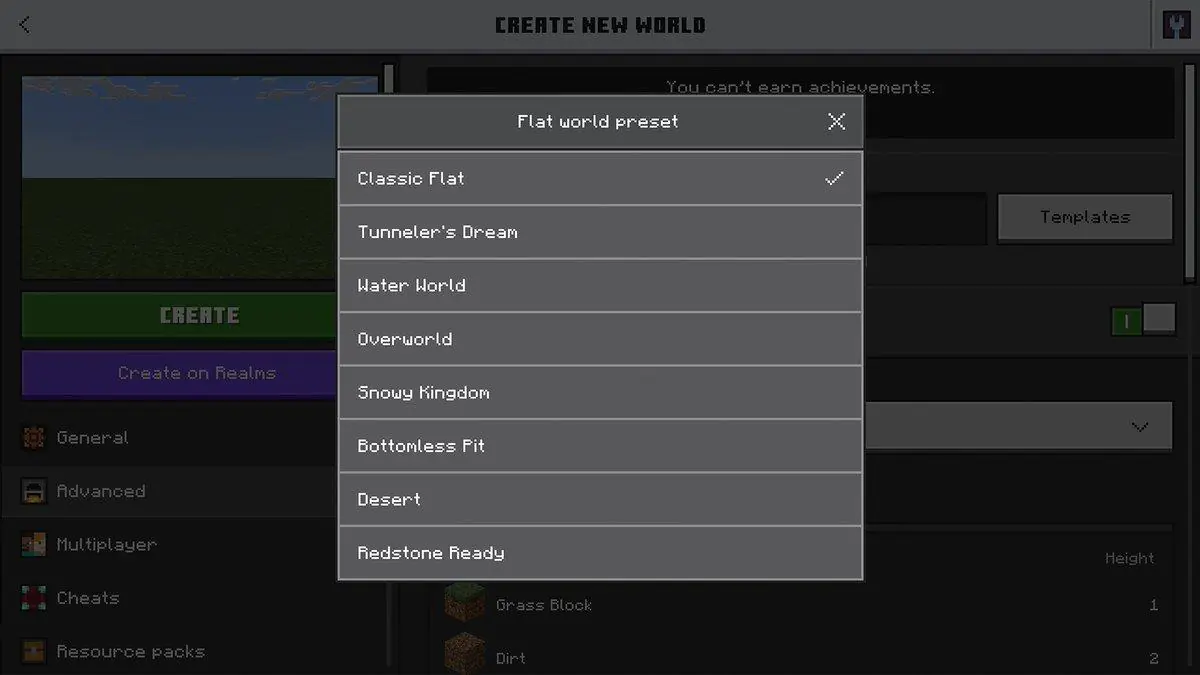
Minecraft Bedrock Edition players, rejoice! Gone are the days when people had to painstakingly level off their own land or deal with a mountain in their way. Mojang bestowed flat world presets on the game-the heavens have opened! So now, anybody from the guy who likes working on a blank canvas or just downright hates hills is going to welcome this update.
Well, was it all that? Anybody would say flat worlds-with a chuckle-are nothing new; they’ve been in Java editions for ages. But the injustice of Bedrock being devoid of flat worlds is over. Following the update, one can simply select a preset and load into a fully constructed flat world without ever mumbling a word of commands or third-party tools; just pick your preset, load it in, and Boom! Flat! No more blast-offs to the top of a mountain and an attempt to build giant pixel art of a creeper!
The very significance here? A builders’ dream. No terrain equals no hindrance to mega-builds or awkward cliffs blocking symmetrical city plans. Purely creative. And survival players who want a more controlled environment? Yeah, those too. Some of these presets come with some really rudimentary structure or biomes, so you aren’t alone in a featureless void-unless you want to.
The timing couldn’t be better! It came after nearly a dozen other quality-of-life updates had hit the Bedrock, such as the improved UI and smooth cross-play. Feels like Mojang has finally seen Bedrock as a worthy partner after years of inverse favor to Java. And hey, maybe this is a good indication that they’re coming with more parity updates? A builder can dream.
The internet, needless to say, was bubbling with memes. Some dubbed it the ultimate “I hate mountains” update; meanwhile, others were genuinely happy that they don’t have to dig a chunk of land anymore. There’s serious discussion about speedrunners using flat worlds for quicker starts-though good luck explaining that to hardcore Minecraft purists.
Downsides? Hm, no, not as such. The one valid complaint would probably be aggrieved that “it took this long to get here.” And yeah, some players are flinging looks at that certain Java still has more options for customization. Baby steps, at least Bedrock is catching up.
So, have you been holding out on going through with that mega-project because the terrain was “too pointy”? (Yeah, that is an actual player complaint.) Well, it is your time now. Open Bedrock, select a preset, and unleash yourself. Just don’t hold Mojang accountable should the reality dawn on you that you have spent six hours building a floating castle and forgot to replenish your hunger bars.
Just an additional tip: Check out the official link in the tweet for the full breakdown of presets, because nothing would be worse than picking the wrong flat world and waking up to realize it’s too flat. Wait, is that even possible? Eh, you’ll figure it out. Happy flattening, guys.